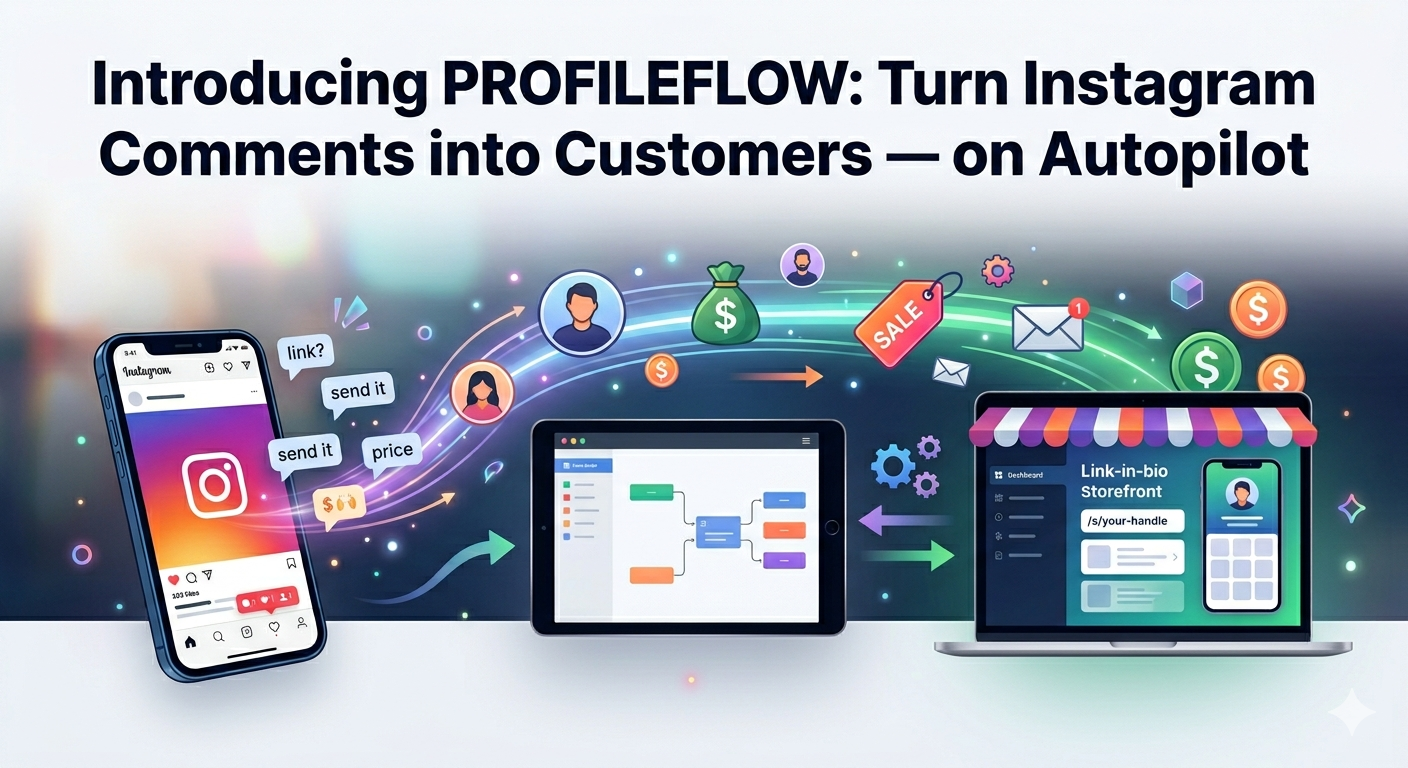
Every creator, coach, and brand on Instagram faces the same problem: people comment, people swipe up, people DM — and you physically cannot respond to all of them. Leads slip through the cracks. Potential customers get ignored. Revenue disappears into the void.
We built ProfileFlow to fix that.
Today, we're launching ProfileFlow — a platform that automates your Instagram responses, captures qualified leads through intelligent DM conversations, and gives you a storefront your audience can actually buy from. All from one workspace, with no code required.
What Is ProfileFlow?
ProfileFlow is an Instagram automation and creator monetization platform built for serious creators, coaches, agencies, and brands. It sits at the intersection of three things you already care about:
- Responding faster to people who comment on your posts
- Capturing contact info from your most interested followers
- Selling your work — digital products, services, resources — without a complicated tech stack
Here's a quick look at what shipped on day one.
1. Keyword-Triggered DM Automation
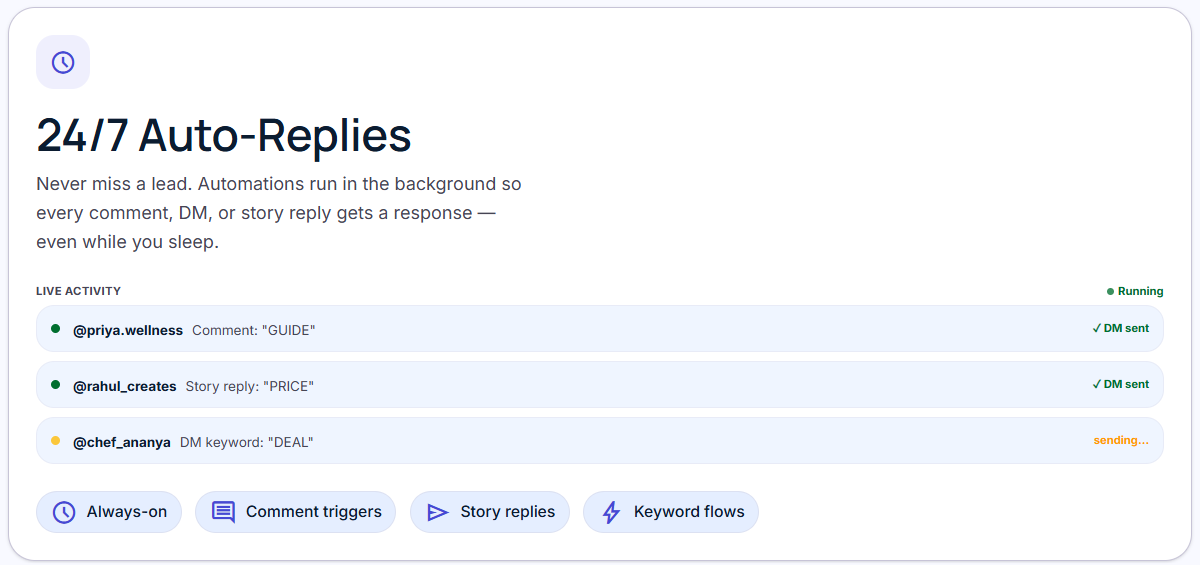
Set up a rule in under two minutes. When someone comments a keyword on your post — "link", "price", "send it", "DM me" — ProfileFlow fires a personalised DM automatically.
You control everything:
- Match by
CONTAINS,EXACT,REGEX, or catch-allANY - Target all posts or specific media IDs only
- Send a plain-text DM, a button template, or a product carousel from your store
- Optionally post a public reply under the trigger comment at the same time
Rules stay in DRAFT until you're ready. One click publishes them. Another pauses them. The platform auto-pauses a rule if Meta rate-limits your account and resumes it when the cooldown clears — no manual babysitting needed.
2. Visual Flow Builder
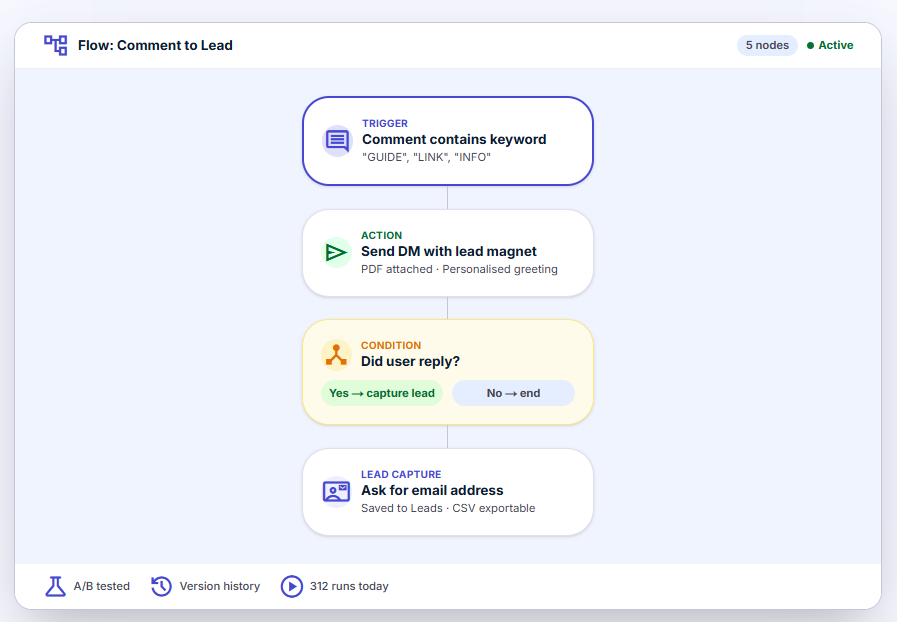
The most powerful feature in ProfileFlow is the Flow Builder — a drag-and-drop canvas where you design multi-step DM conversations.
Build flows that:
- Ask a series of questions and branch based on replies
- Present quick-reply buttons so followers tap instead of type
- Wait a configurable delay before sending the next message
- Capture any field — name, email, phone, budget — you define the questions
- Interpolate captured values (
{{name}},{{magnet}}) directly into message text
Every flow you publish creates a version snapshot. If a new version misfires, roll back to the previous one in one click. No re-building from scratch.
3. Lead Capture & Inbox
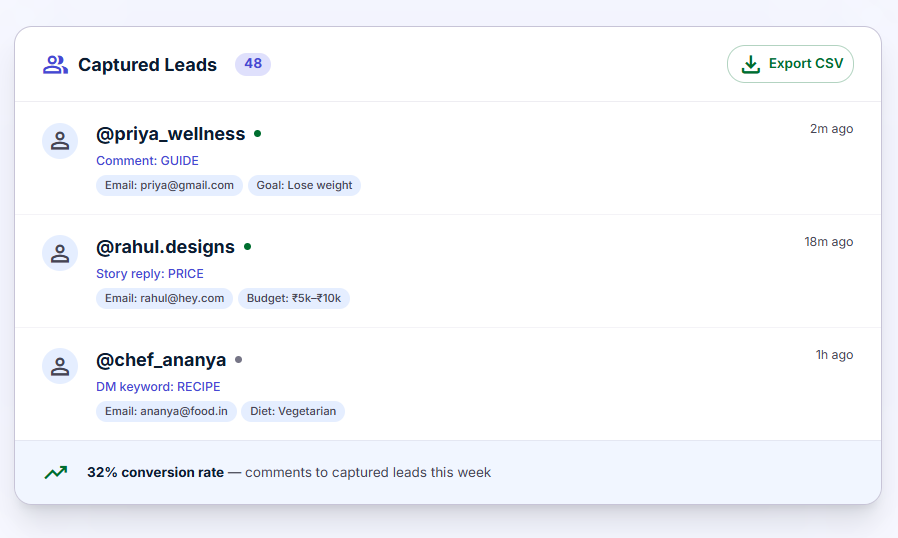
Every completed DM conversation materialises as a Lead in your inbox. You see the Instagram username, when they were captured, and every field you collected — name, email, budget, phone, whatever you asked for.
Export to CSV anytime. Connect your CRM via the API. Every lead belongs to your workspace, not to Instagram's walled garden.
Lead Magnets get their own dedicated workflow: create an asset (PDF, link, discount code, or video), attach it to a rule, and ProfileFlow delivers the asset link automatically inside the DM once the follower provides their contact info.
4. Creator Assets Library
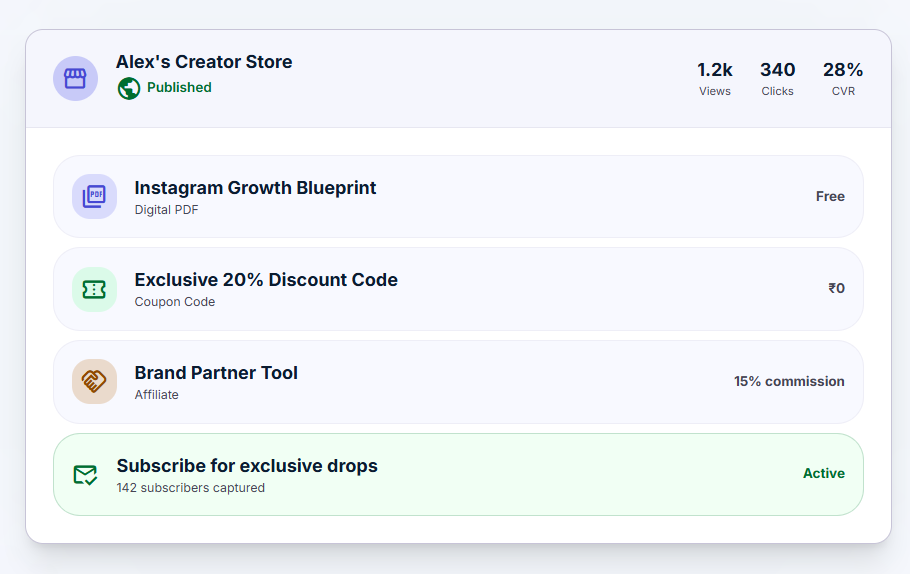
Your downloadable resources, Calendly links, access codes, and video embeds live in one place: the Creator Assets library. Assets are reusable — attach the same PDF to multiple automation rules without duplicating anything.
Asset types supported at launch:
| Type | What It Delivers |
|---|---|
| Uploaded file, served via a short redirect link | |
| URL | Any external link — Calendly, webinar page, product page |
| Code | Static discount or access code |
| Video Embed | YouTube, Vimeo, or Loom |
Every asset tracks click counts so you know which resources actually get opened.
5. Link-in-Bio Store
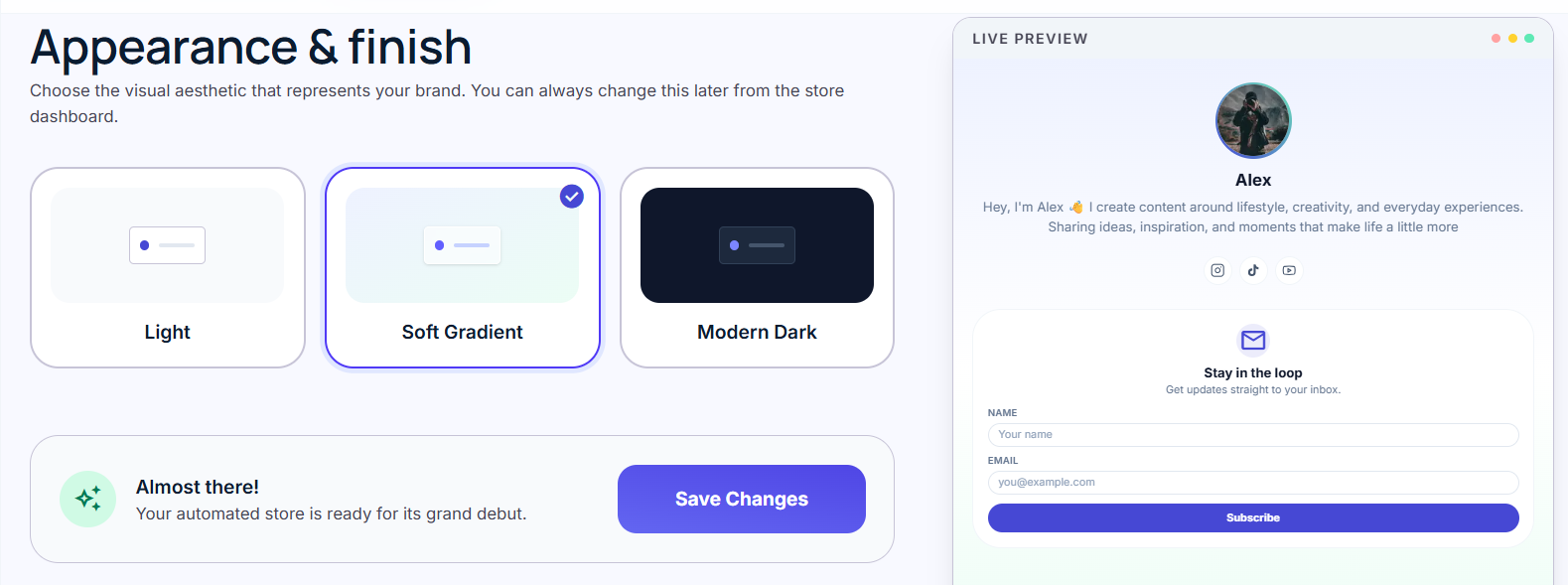
ProfileFlow ships with a full Link-in-Bio storefront at /s/your-handle. Your audience lands on one page that holds everything:
| Section | What It Does |
|---|---|
| Links | Any URL, drag-and-drop ordered, with icon labels |
| Products | Digital goods, physical items, or services with prices and checkout URLs |
| Affiliate Products | External products with commission tracking and disclosure badges |
| Resources | Free or gated downloads — gated resources capture an email before delivering the asset |
| Socials | Instagram, YouTube, TikTok, Twitter — shown as tappable platform pills |
| Subscribe Card | A built-in email subscribe form — your audience list, not Instagram's |
Choose from three theme presets (Light, Soft Gradient, Modern Dark), pick your brand color, toggle button style between Rounded and Sharp, and publish. Your store goes live at /s/your-handle instantly.
All storefront events — page views, link clicks, product clicks, affiliate clicks — feed into per-day analytics so you can see exactly what your audience interacts with.
6. Workspace Collaboration
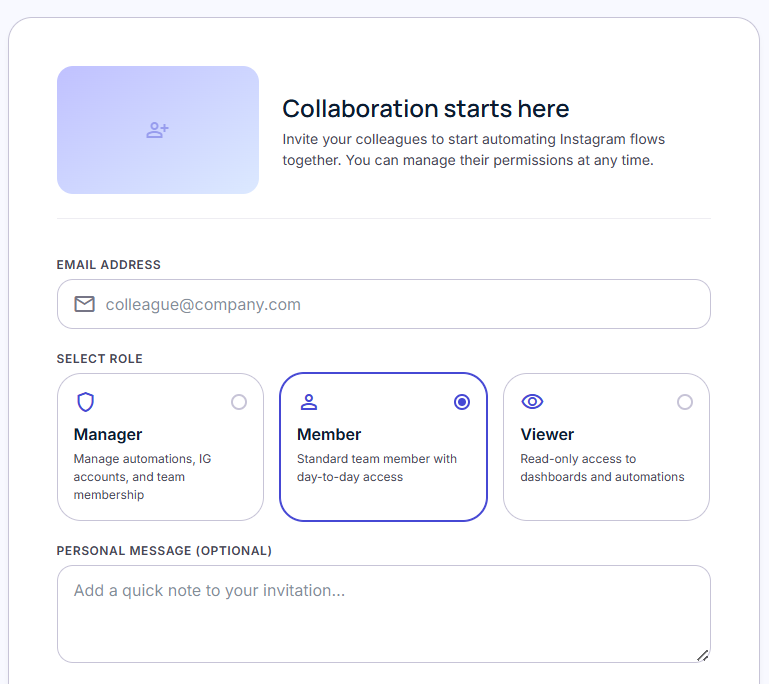
ProfileFlow is built for teams, not just solo creators. Every account lives inside a Workspace. Invite teammates by email, assign them roles, and let them manage automations, leads, and the storefront alongside you.
Role permissions are fully granular — control who can create automations, who can view leads, and who can manage billing. Switch between workspaces from the header dropdown instantly.
7. Smart Rate-Limit Protection
Meta throttles Instagram API access aggressively. ProfileFlow handles this for you, silently:
- Tracks your hourly API usage against Meta's Business Use Case limits
- Reads Meta's usage response headers on every API call
- Automatically queues overflow sends into the next hourly window
- Pauses rules when 429s arrive and retries with backoff
- Notifies you when rate-limiting kicks in — and when it clears
You keep growing. ProfileFlow keeps you compliant.
8. Notifications That Actually Matter
ProfileFlow sends you the notifications you care about and skips the noise:
- Lead Captured — a follower just completed your funnel
- Token Expiring — your IG access token needs a refresh in the next 7 days
- Automation Failed — a rule couldn't send a DM (token expired, comment deleted)
- Rule Auto-Paused — rate-limit hit; your rule is temporarily paused
- Messaging Window Expired — a delayed flow send couldn't fire inside Meta's 24h window
Every notification type can be enabled or disabled per-channel (in-app, email) from your notification preferences.
Built for Security From Day One
ProfileFlow was designed with security in mind from the ground up:
- Two-Factor Authentication — TOTP-based 2FA with encrypted backup codes
- Session Management — see every active device, revoke sessions remotely
- Full Audit Log — every admin action is recorded with actor, timestamp, and resource
- GDPR Compliance — data export and account deletion with a 30-day grace period
- CSRF Protection — double-submit cookie pattern on all state-mutating endpoints
What's Coming Next
This is v1. The roadmap is already loaded:
- Broadcast DMs — send a one-time DM to a segment of your captured leads
- Analytics Deep-Dive — per-flow node drop-off rates, funnel conversion charts
- Catalog DMs — pull products from your store into a Meta carousel sent via DM
- Webhook Integrations — push lead data to Zapier, Make, or your own backend on capture
- Multi-Account Management — connect multiple Instagram accounts to one workspace
Get Started Today
ProfileFlow is live and ready for your first automation rule.
- Sign up — it takes under 60 seconds
- Connect your Instagram Business account via Instagram Business Login
- Create your first keyword rule — try "link" or "dm me"
- Publish your storefront at
/s/your-handle - Watch leads arrive
If you have questions, run into issues, or just want to say hello — hit us on the in-app Help & Support, or email us at support@profileflow.bio. We read every message.
The ProfileFlow team is a small crew that cares deeply about creator success. We built the tool we wished existed. We hope it changes how you grow on Instagram.
— The ProfileFlow Team